Prompt-a-Thon: Casey’s Edition
Welcome to the Prompt-a-Thon! This interactive session is designed to help you unlock the full potential of Microsoft Copilot by mastering the art and science of effective prompting. You’ll learn practical techniques to create clear, impactful prompts that drive real business value, save time, and boost productivity. Expect a hands-on, collaborative experience where you’ll experiment, iterate, and discover how Copilot can streamline your workflows and empower your team to achieve more.
What You’ll Do
You’ll perform several tasks to build Copilot skills:
- Research & Analysis: Use Copilot Chat to gather insights from internal and external sources.
- Summarize & Structure: Transform raw meeting notes into professional summaries.
- Refine with Follow-Up: Practice enhancing results by asking iterative questions.
- Recap Emails: Use Copilot in Outlook to extract key actions from email threads.
- Analyze Reviews & Visualize Sentiments: Turn survey or review data into actionable insights and visuals.
- Visualize Financial Data: Create charts and heat maps from sales data.
Prompting Framework: GCSE
To get the best results from Copilot, use the GCSE framework:
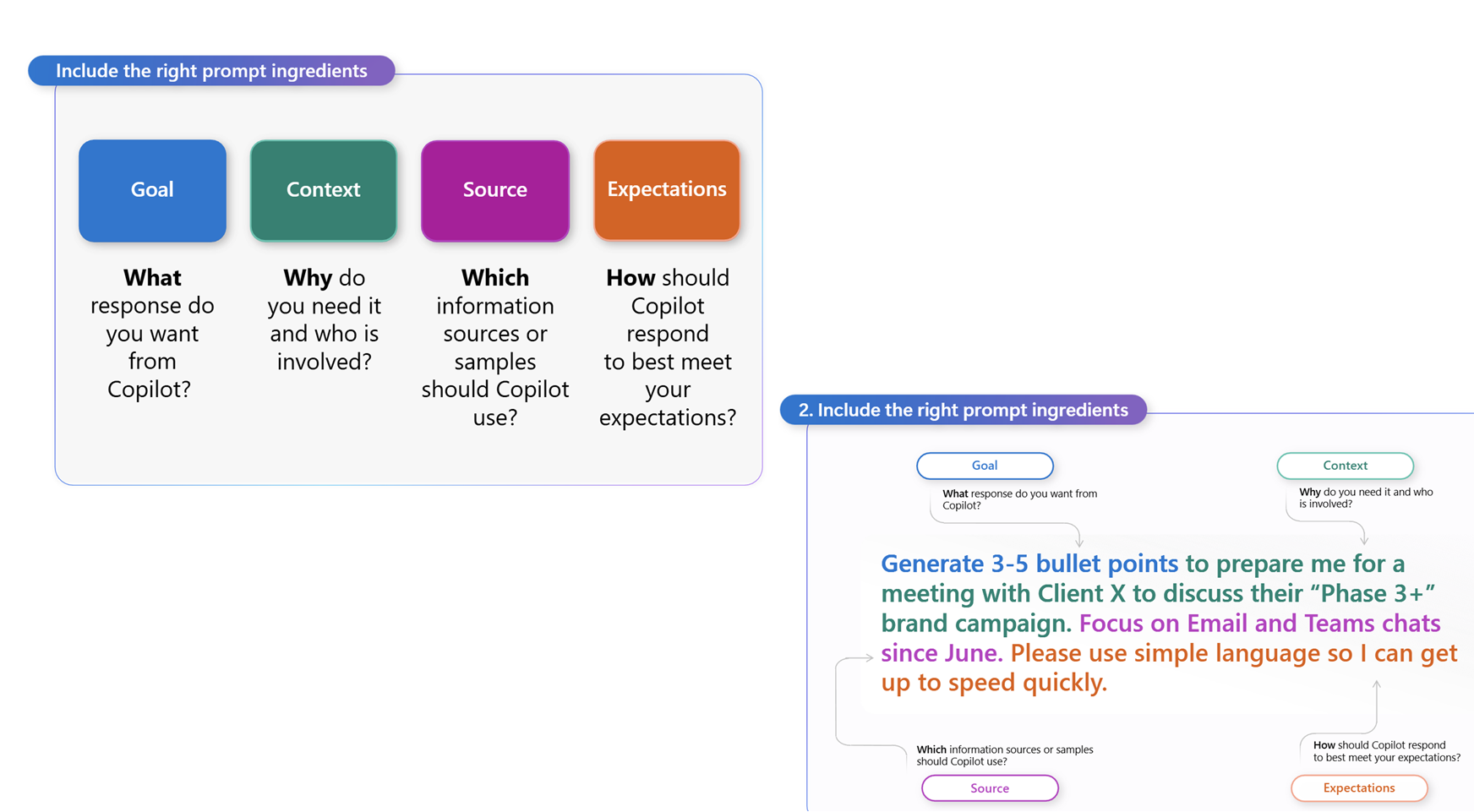
- Goal: What do you want Copilot to do?
- Context: Why do you need it? Who is involved?
- Source: What information or samples should Copilot use?
- Expectations: How should Copilot respond? (Format, tone, detail)
TIP: If your prompt is too short, you’ll get generic results. If it’s too long, Copilot might miss instructions. Aim for clarity and specificity.
Core Exercises: Perform Online Research & Analysis
Researcher: Build a Marketing Plan
IMPORTANT: Steps 1–4 should be completed at the beginning of the training (as indicated by slide 5) to give Researcher enough time to complete the first prompt.
-
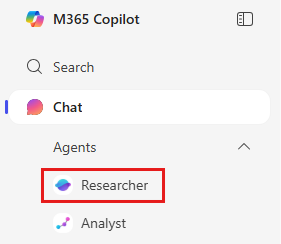
Open Researcher from the left navigation in the Copilot app.
-
Enter the following prompt:
Create a marketing plan for our newest SprintCycle EV charger launch. Emphasize its AI-powered adaptive charging, modular design, and biometric access control. Make sure to include recommendations on the right digital channels and content strategy. Include insights from competitors and our past GTM campaigns. -
Attach reference files using
/(point to SharePoint/OneDrive):- /SprintCycle Charger Product Launch.docx
- (Optional) /Contoso - PedalPerks GTM Plan.docx
-
Click Submit.
Researcher will:
- Combine insights from both internal files and the web.
- Structure a marketing plan with recommendations on channels and content strategy.
- Cite sources so you can validate its work.
Note: Researcher shows its reasoning path (“chain of thought”), and can call other agents when needed.
Analyst: Customer Segmentation & Financial Modeling
-
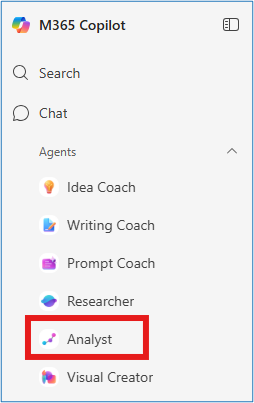
Open Analyst from the left navigation in the Copilot app.
-
Enter the following prompt:
Find the right customer segment and demographic to sell our new EV charger, include a graph to show how this will maximize our market opportunity. -
Attach the file using +:
- BoulderEV ebike Internal Market Forecast.xlsx

-
Click Submit.
Analyst will:
- Analyze the dataset.
- Identify high-value customer segments.
- Provide visualizations to back up recommendations.
Additional Analyst Scenarios
You can run these additional prompts for variety. Each follows the same pattern: Prompt → Attach file → Submit → Review results.
-
Financial Projection
Build a 5-year financial projection from this data along with a graph to view revenue growth over time.File: BoulderEV ebike Internal Market Forecast.xlsx
-
Sales Performance
  Analyze sales volume across locations to identify our highest and lowest performing stores,
  along with a visualization of the best-selling products.
File: BoulderEV ebike Internal Market Forecast.xlsx
-
Campaign Performance
  Analyze and visualize how the marketing campaign performed across each target segment
  and help me decide where to re-target our next campaign.
File: BoulderEV ebike Internal Market Forecast.xlsx
Key Takeaway
- Researcher: accelerates strategy and planning with high-quality research.
- Analyst: delivers data-driven insights with advanced analysis and visualizations.
Together, Researcher and Analyst shorten the path from question to insight—turning weeks of effort into minutes.
Choose‑One Practice
Before diving into more advanced challenges, this quick practice is designed to help you build a strong foundation in prompting. You’ll get hands-on experience with essential techniques and Copilot features, so you can confidently apply what you learn in real business scenarios later. Use this opportunity to experiment, ask questions, and get comfortable with the basics before moving on.
Practice 1: Summarize & Structure Meeting Notes
Transform raw meeting notes into a structured summary with Copilot Chat.
Steps:
- Upload your meeting notes transcript
- Use a prompt like:
Using my meeting notes, create a formal summary with sections: Title, Attendees, Goal, Topics, Product Details, Tasks, Timelines, Resources, Q&A, Next Steps.
TIP: Turn unstructured notes into professional, shareable summaries.
Practice 2: Refine Results with Follow-Up Questions
Enhance your results by asking follow-up questions to Copilot Chat.
Sample Prompt Sequence:
Identify trends in consumer preferences for grocery markets and develop new product ideas.
Structure ideas in a table with target groups and advertising campaigns.
How can I prioritize these ideas effectively?
TIP: Use clarifying prompts to expand, prioritize, or structure results.
TIP: Use iterative prompts for richer insights and recommendations.
Practice 3: Summarize and Recap Emails in Outlook
Use Copilot Chat in Outlook to extract key requests and deadlines from email threads.
Sample Prompt:
    Recap my email, show me:
    1. What is being asked
    2. What is being asked of the team
    3. What is being asked directly of me
    List dates and topics in a table.
TIP: Extract key actions and deadlines from emails to stay organized.
Practice 4: Analyze Reviews & Visualize Sentiments
Transform survey or review data into insights and visuals.
Sample Prompt:
Analyze the “Reviews” column in the attached CSV. Provide sentiment analysis, top themes, and create a pie chart and word cloud.
TIP: Analyze qualitative data and create visual summaries.
Practice 5: Visualize Financial Data with Charts & Heat Maps
Create charts and heat maps from sales data.
Sample Prompts:
List the visual charts you can create from the sales data and then create those charts.
Create a Monthly Revenue Trend chart.
Create a "Units Sold Distribution by Sales Channel" pie chart.
Create a "Total Revenue by Product" chart.
Create a heat map of the most purchased products.
TIP: Transform numerical data into visual formats for insights.
Scenario Options
This next section is designed to help you practice and deepen your prompting skills. You can choose to work with Copilot Agents—such as Analyst or Researcher—or use the Copilot Agent to address a real business process. We’ve provided a list of suggested scenarios to inspire you, but if you have a specific challenge or workflow in mind, we highly encourage you to use your own. The goal is to apply what you’ve learned in a way that’s most relevant to your role and objectives.
Choose a scenario to apply your prompting skills:
- Scenario 1: Organizational realignment—create a 60-day plan for a new leader.
- Scenario 2: Team performance—build a framework for tracking KPIs and supporting development.
- Scenario 3: Select your own business challenge and build an action plan.
TIP: For inspiration, explore the Scenario Library: https://adoption.microsoft.com/en-us/scenario-library/
Prompting Best Practices
- Break down complex tasks into manageable steps.
- Use persona-based prompting for specialized guidance.
- Ask Copilot what information it needs for success.
- Take a holistic approach—consider entire processes, not just tasks.
- Be curious and experiment with prompt structures.
- Test and refine your prompts for better results.
Get Started
Partner with us to build a business case, explore pre-built agents, and keep up with Copilot news on WorkLab: https://www.microsoft.com/en-us/worklab/ai-at-work/