Prepare for a real or fictitious product launch by gathering customer insights, developing a positioning strategy, and creating a campaign overview.
You’ll perform three tasks:
- Gather customer insights using Copilot Chat.
- Draft a positioning strategy using Copilot in Word.
- Create a campaign overview deck using Copilot in PowerPoint.
NOTE: Sample prompts are provided to help you get started. Feel free to personalize them to suit your needs—be creative and explore! If Copilot doesn’t deliver the result you want, refine your prompt and try again. Enjoy the process and have fun experimenting!
Task 1: Gather customer insights
Using Microsoft 365 Copilot Chat, conduct market research to collect customer insights for your product launch. Focus on identifying customer needs, key pain points, and competitor strengths and weaknesses. Consider emerging market trends that could impact your positioning strategy.
Steps:
- Open a new browser tab and navigate to M365copilot.com.
-
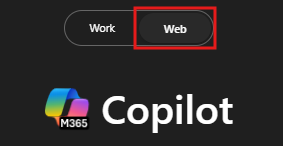
Ensure the Web mode tab is selected in Copilot Chat:
Sample Prompt:
TIP: If Copilot’s response is too general, refine your prompt by specifying your industry, target audience, or key competitors.
Task 2: Develop your positioning strategy
Using Copilot in Word, draft a comprehensive strategy document for brand positioning. Incorporate elements such as an executive summary, target audience, brand messaging, and competitor analysis, using insights gathered in Task 1.
Steps:
- Launch Microsoft Word from your browser (word.new) or use the desktop application.
-
Enter your prompt where it says “Describe what you’d like to write”.

Sample Prompt:
[Paste your findings here from Task 1]
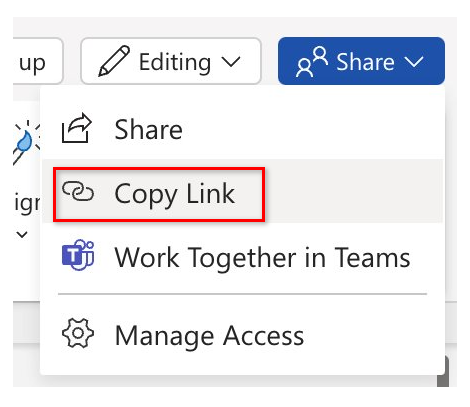
Tip: Save the document for use in the next task. Copy the shared URL from the document (enable AutoSave and select your OneDrive account if prompted).
Task 3: Create a campaign overview deck
Using Copilot in PowerPoint, create a campaign overview deck for your product launch. Include slides that outline campaign goals, key audience segments, proposed messaging, and channels for promotion. Ensure the deck provides a clear and compelling plan to guide your team’s efforts.
Steps:
-
Open Microsoft PowerPoint from your browser PowerPoint.new or use the desktop application.
-
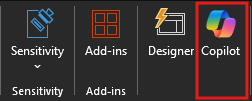
Open a new blank presentation and select the Copilot icon from the ribbon.
-
In the Copilot pane, select the “Create presentation from file” prompt.
Sample Prompt:
TIP: After generating the slides, refine them by asking Copilot to adjust visuals, restructure content, or add specific data points.