🎯 Learning Objectives
- Generate a tailored job description grounded on responsibilities
- Compare candidate resumes against the job description
- Draft leadership-ready hiring communications
📋 Demo Setup
The sample documents can be found in the MS-4021 GitHub repository:
- Design_Team_Responsibilities.docx
- Resume_Patti_Fernandez.docx
- Resume_Nestor_Wilke.docx
- Resume_Holly_Dickson.docx
- Resume_Alex_Wilber.docx
📝 NOTE: Allow up to 10 minutes for these files to sync to your OneDrive. Download in advance to avoid delays during the demo.
Part 1: Copilot in Word — Draft a Job Description
💡 Why This Matters: A well-crafted JD attracts the right candidates and sets clear expectations. Copilot writes the first draft grounded on your team's responsibilities.
- Open Word (web or desktop).
- In Describe what you'd like to write, enter the prompt below.
I'm the HR Manager at the Graphic Design Institute. We've currently started the hiring process for a new Senior Animation Designer. Please review the attached document outlining the job responsibilities for this role and generate a detailed job description based on this information.
[copy link or reference file to Design_Team_Responsibilities.docx]
📝 NOTE: Attach the Design_Team_Responsibilities.docx file or paste the shared link directly into the prompt so Copilot can access the content.
- Save the document as GDI_Job_Description.docx.
- Copy the shared URL for use in the next step (enable AutoSave).
✅ Self-Check: Part 1
Part 2: Copilot Chat — Compare Resumes Against the JD
💡 Why This Matters: Copilot can read multiple resumes at once and rank them against your JD — saving hours of manual screening.
- Open M365copilot.com.
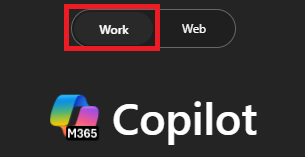
- Ensure Work Mode is selected.
We are hiring for the position of Senior Animation Designer. Please analyze the attached resumes and compare them to the requirements outlined in the job description provided here: [paste link to GDI_Job_Description.docx]. Rank the candidates from most qualified to least qualified, based on their alignment with the role.
[Resume - Patti Fernandez
Resume - Nestor Wilke
Resume - Holly Dickson
Resume - Alex Wilber]
📝 NOTE: Attach the resumes directly to the prompt, or reference each file using shared links or filenames in OneDrive.
Optionally, ask Copilot to export the response to a Word document.
✅ Self-Check: Part 2
Part 3: Copilot in Outlook — Email the Hiring Team
💡 Why This Matters: Close the loop quickly. Copilot drafts an email that recommends top candidates and proposes next steps.
- Open Outlook (web or desktop) → New Email.
- Click Copilot → Draft with Copilot.
Please draft an email to the hiring team to share that Nestor Wilke and Patti Fernandez align best with the Senior Animation Designer role based on their qualifications. Include a recommendation to schedule interviews for these candidates and request feedback on next steps.
✅ Self-Check: Part 3
🔑 Key Takeaways
📝
Better JDs, Faster
Generate strong job descriptions grounded on real responsibilities.
⚖️
Objective Screening
Compare candidates to the JD with clear, defensible logic.
📧
Move the Process
Communicate next steps clearly to keep momentum.
🧠
Human in the Loop
Final hiring decisions remain with you — Copilot accelerates the path.