🎯 Learning Objectives
- Research a reporter and outlet using Copilot Chat
- Anticipate interview questions and draft answers
- Transform Q&A into a polished FAQ in Word
📋 Demo Setup
There are no sample documents required for this demo.
Part 1: Copilot Chat — Reporter Research & Interview Prep
💡 Why This Matters: Knowing your audience is half the battle. Copilot researches the reporter, outlet, and audience so you walk in prepared.
- Open M365copilot.com.
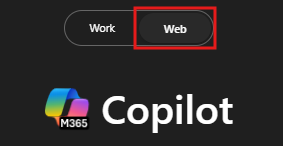
- Ensure Web mode is selected.
- Use the prompts below in sequence.
I am going to be interviewed by {Reporter Name} from {News Outlet Name} about {Specific Topic, e.g., 'sustainability in tech'}. What are some key things I should know about their previous work and approach to this topic?
Tell me about {News Outlet Name}'s demographic and their audience's interests and knowledge level on {Specific Topic}.
Generate the top 10 questions that {Reporter Name} might ask in my interview. They should be informed by the research conducted above and crafted to be conversational yet concise.
Draft answers to the questions in a table format. Save the table with questions and answers into a Word document.
📝 NOTE: The Word document created here will be referenced in the next part.
✅ Self-Check: Part 1
Part 2: Copilot in Word — Turn Q&A into a Public FAQ
💡 Why This Matters: Once you've prepared your answers, repurpose them. Copilot in Word reshapes your Q&A into an FAQ ready for publishing on a blog or press kit.
- Open the Word document containing the Q&A table from Part 1.
- Select anywhere in the body and click the Copilot icon.
- Use the prompt below.
Create an FAQ for a technical audience who are new to {Specific Topic}. Include the top 15 questions for publishing on a blog. Leverage the questions and answers from this document.
- Confirm answers are accurate, relevant, and concise.
- Structure logically — group related questions.
- Identify gaps and add new questions where useful.
✅ Self-Check: Part 2
🔑 Key Takeaways
🔍
Audience First
Research the outlet and reporter before crafting your message.
💬
Anticipate the Ask
Predict tough questions — prepare crisp answers.
♻️
Reuse Your Work
Turn interview prep into a public-facing FAQ in one click.
🧠
Iterate, Don't Stop at First Draft
Refine Copilot's outputs until they sound like you.